
How PriorityEngine Business Plan Works
Email isn't just communication anymore. For most businesses, it's where sales opportunities arrive, customers ask for help, invoices are received, contracts are negotiated, and urgent issues appear every day.
Yet most teams still collaborate by forwarding emails, sending screenshots in Slack, or asking "Did anyone reply to this?"
PriorityEngine transforms your inbox into a collaborative workspace where every important conversation has ownership, context, history, and accountability.
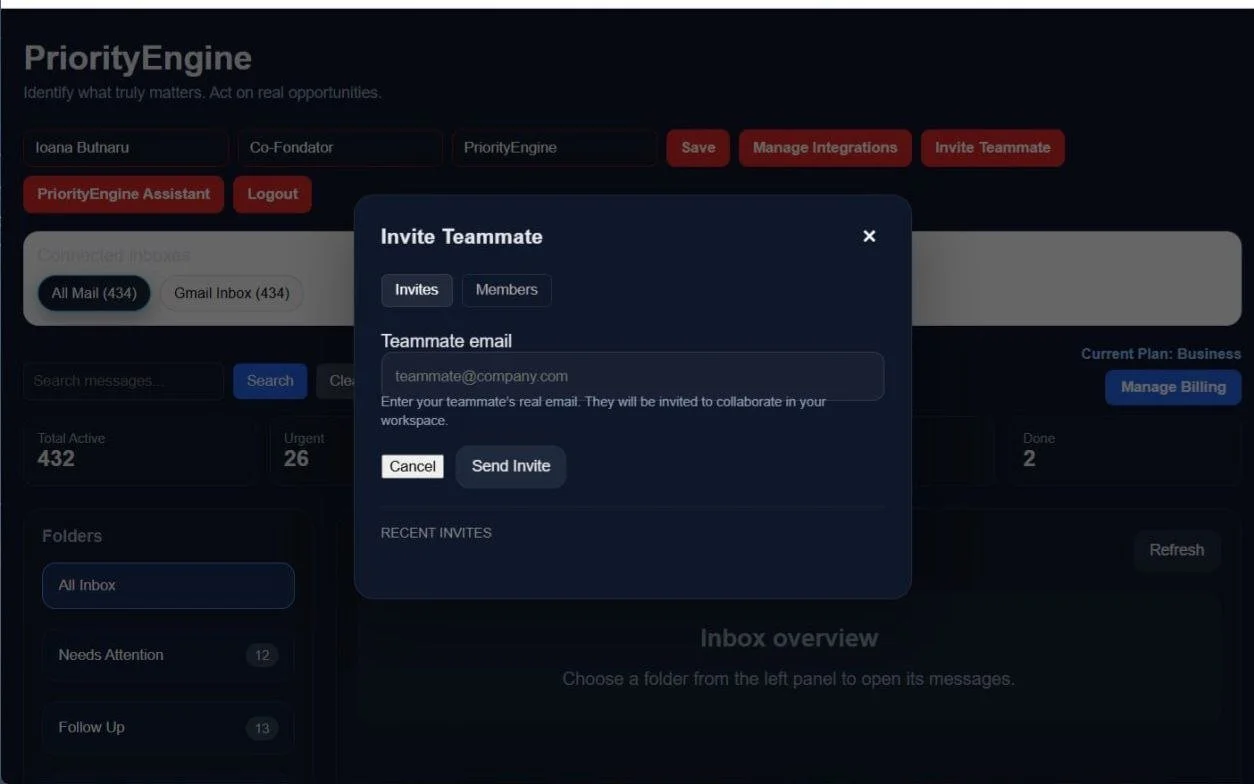
Invite Your Team
Once your Business workspace is ready, the workspace owner can invite teammates to collaborate directly inside PriorityEngine.
The invitation is sent using the teammate's email address. For security reasons, the invited person must already have a PriorityEngine account before they can join the workspace.
This design ensures that every collaborator has:
their own authenticated identity;
their own secure login credentials;
an individual activity history;
personal accountability for every action performed inside the workspace.
Instead of sharing passwords or using a generic company inbox, each teammate works with their own account while collaborating inside the same Business workspace.
Important: A teammate must create a free PriorityEngine account before the workspace owner can send an invitation. Once the invitation is accepted, the teammate gains access to the shared Business workspace using their existing account.
Why do teammates need their own account?
Every action inside PriorityEngine is linked to a real user.
This allows the platform to record exactly:
who replied to a customer;
who assigned a conversation;
who added an internal note;
who scheduled a follow-up;
who changed the message status.
Without individual accounts, the Activity Timeline and team accountability would not exist.
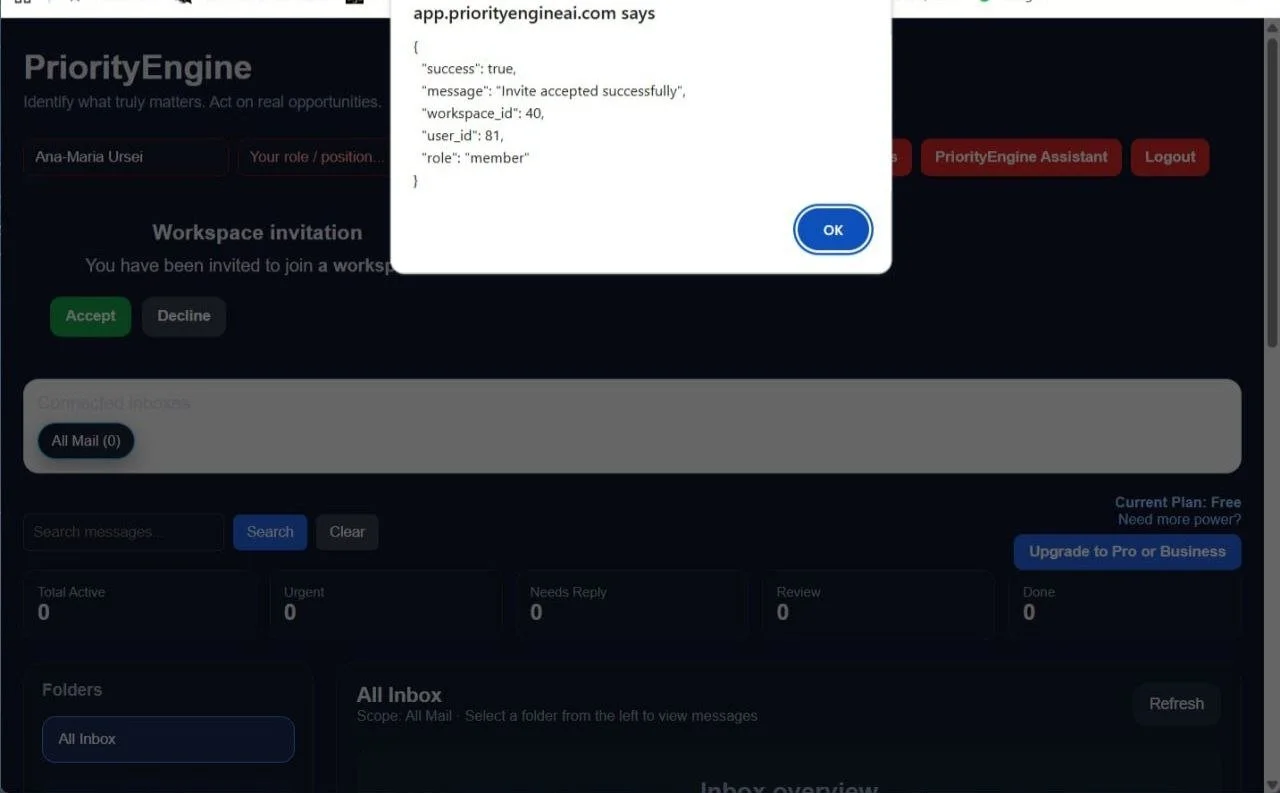
Accept a Workspace Invitation
After receiving an invitation from the workspace owner, the teammate can review and accept it directly from their PriorityEngine dashboard.
Once accepted, the teammate becomes a member of the owner's Business workspace while continuing to use their own PriorityEngine account.
A confirmation dialog explains exactly what will happen before access is granted, ensuring that every user understands they are joining an existing collaborative workspace—not creating a new one.
From that moment on, the teammate can immediately begin collaborating on shared conversations, while all workspace permissions remain securely managed by the owner.
Important: Accepting a workspace invitation does not transfer account ownership or billing. The teammate keeps their own PriorityEngine account and simply becomes part of the company's Business workspace.
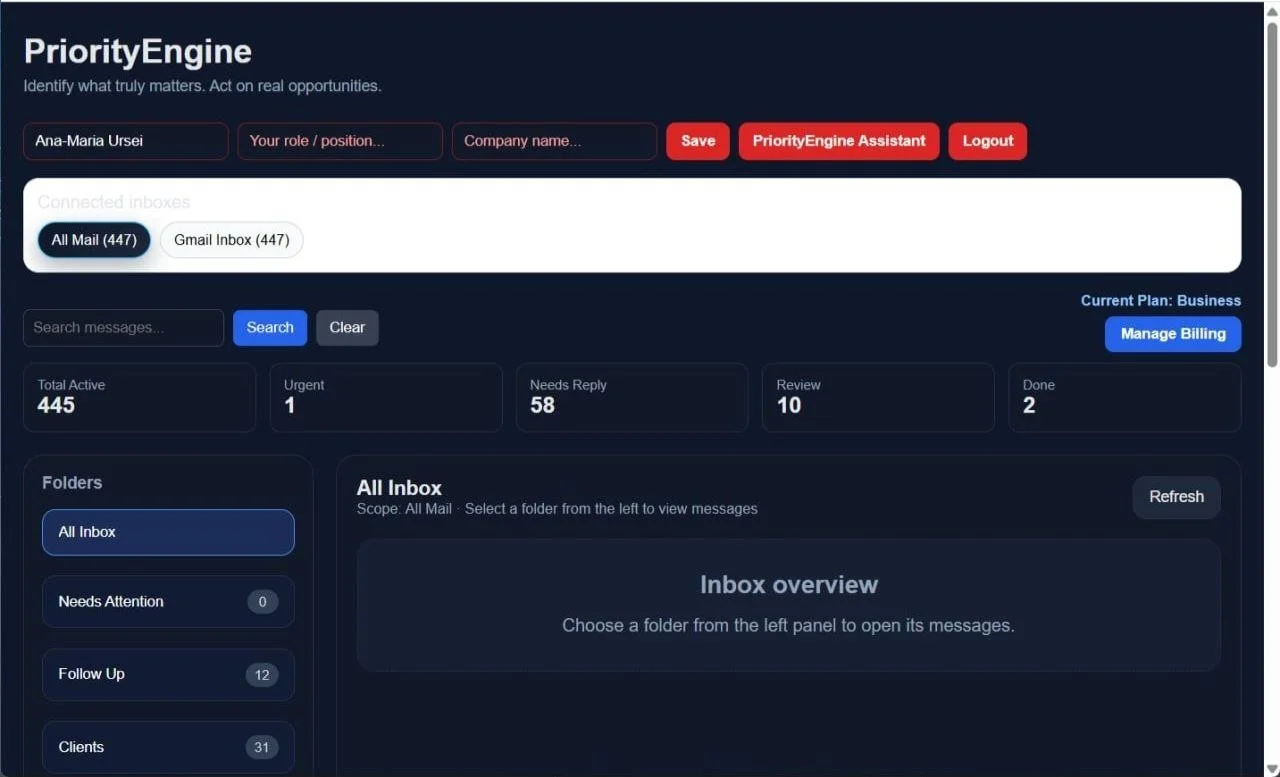
Join the Business Workspace
After accepting the invitation, the teammate immediately gains access to the owner's Business workspace using their own PriorityEngine account.
From this point forward, the teammate works with the same inbox, the same conversations, and the same shared context as the rest of the team—without sharing passwords or using a generic company email account.
Within the workspace, teammates can actively collaborate by:
Replying to customer emails.
Assigning conversations to themselves.
Managing collaborators on conversations assigned to them.
Adding internal notes.
Creating follow-up reminders.
Viewing the complete Reply History.
Tracking every action through the Activity Timeline.
Every action is recorded under the teammate's own account, providing complete transparency and accountability across the entire workspace.
Workspace Permissions
To protect the company's infrastructure and billing, several administrative functions remain exclusive to the workspace owner.
Teammates cannot:
Access subscription billing.
Purchase Extra Packs.
Invite new teammates to the workspace.
Connect or disconnect company inboxes.
Permanently delete emails.
This separation ensures that operational collaboration is available to every teammate, while administrative control always remains with the workspace owner.
Design Principle: PriorityEngine separates daily collaboration from workspace administration. Every teammate can manage conversations and work efficiently, while only the owner controls company-wide settings, billing, integrations, and irreversible actions.
Why Only the Workspace Owner Connects Email Accounts
One of the most important security principles in PriorityEngine Business is that only the workspace owner can connect company email accounts.
Teammates cannot add Gmail or IMAP inboxes, start manual synchronizations, or manage email integrations.
This design prevents duplicate connections, conflicting synchronizations, and accidental imports from multiple users.
One Connection. One Source of Truth.
Each company inbox is connected only once by the workspace owner.
After the initial connection, the owner performs a single Manual Sync to import the first batch of emails. Once the connection is established, PriorityEngine automatically takes over by running scheduled Auto Sync based on the Business plan.
Every teammate then works with the exact same synchronized data, eliminating duplicate imports and ensuring that everyone shares a single source of truth.
Secure by Design
Keeping integrations under the owner's control provides several important benefits:
Prevents the same mailbox from being connected multiple times.
Eliminates duplicate email imports.
Ensures a single synchronization process for each connected inbox.
Protects company credentials by limiting who can manage integrations.
Gives the workspace owner complete control over all connected business email accounts.
Smart Email Import
PriorityEngine is designed to help teams focus on current work—not years of historical email.
When an inbox is connected, PriorityEngine imports emails starting from the date the account was registered in PriorityEngine. Historical messages from before registration are not imported automatically.
From that point forward, Auto Sync continuously imports new incoming emails, keeping the entire workspace up to date without requiring manual intervention.
This approach provides a clean starting point for every business while avoiding unnecessary imports of outdated conversations.
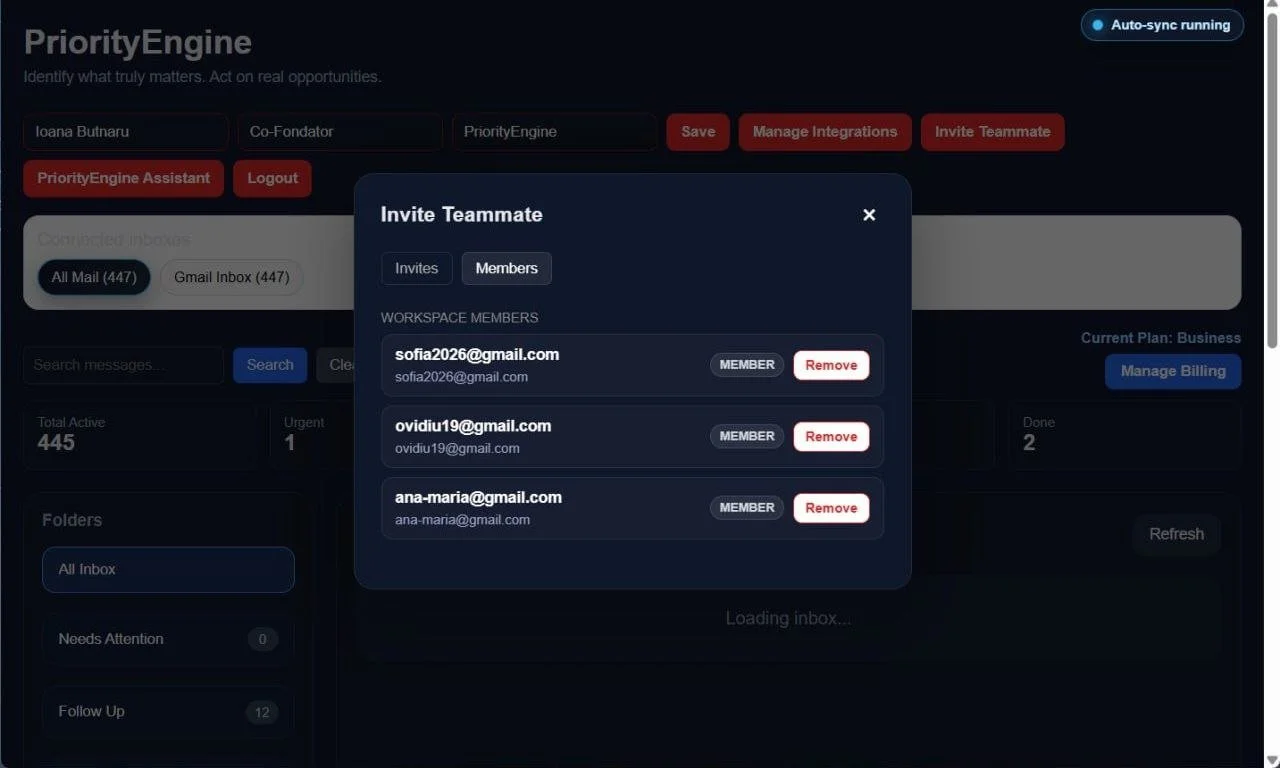
Manage Workspace Members
As your team evolves, PriorityEngine allows the workspace owner to manage membership at any time.
From the Workspace Members panel, the owner can view every active teammate and remove access whenever necessary.
This is especially useful when:
an employee leaves the company;
a contractor finishes a project;
team responsibilities change;
access needs to be revoked immediately for security reasons.
Removing a teammate immediately revokes their access to the Business workspace.
The removed user keeps their own PriorityEngine account, but they no longer have access to:
the company's shared inboxes;
customer conversations;
internal notes;
assignments;
follow-ups;
reply history;
activity timeline;
any other shared workspace data.
Because the teammate's personal account remains active, they can continue using PriorityEngine independently or join another Business workspace if invited in the future.
Security by Design: Workspace access belongs to the company—not to the individual user. The workspace owner can grant or revoke access at any time without affecting the teammate's personal PriorityEngine account.
Conclusion
Growing businesses don't struggle because they receive too many emails. They struggle because important information becomes scattered across inboxes, forwarded messages, chat applications, and individual team members.
PriorityEngine brings those conversations back into a single collaborative workspace where every teammate shares the same context, every customer interaction has clear ownership, and every important action is fully traceable.
Instead of asking:
"Who replied to this customer?"
"Did anyone follow up?"
"Who is responsible for this conversation?"
Your team already has the answer.
With shared workspaces, role-based permissions, activity tracking, assignments, internal notes, follow-ups, and centralized email synchronization, PriorityEngine transforms email from a personal communication tool into a collaborative operating system for modern businesses.
Because managing email isn't just about reading messages.
It's about making sure the right person takes the right action at the right time.
PriorityEngine isn't just another email client. It's your team's Business Signal Operating System—designed to help growing businesses organize conversations, assign responsibility, and never lose sight of what matters most.